
A Hands-On Review of FlexClip’s AI Tools, Highlighting AI Recreate and Auto Edit

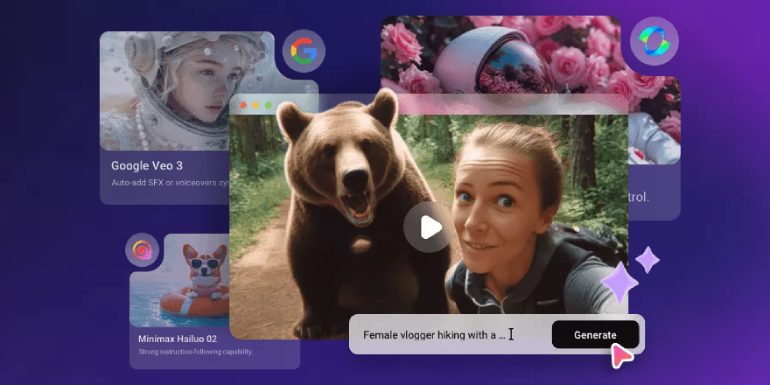
FlexClip has gradually evolved from a simple online video editor into a broader platform supported by a collection of AI-driven tools. After testing the latest update, which introduces AI Recreate and Auto Edit, it’s clear that FlexClip is aiming to streamline the parts of video editing that many users find repetitive or time-consuming. This review takes a closer look at how these tools perform in real scenarios and how they fit alongside FlexClip’s existing features.
General Impressions of FlexClip’s AI Ecosystem
FlexClip already offered several AI utilities before this update—such as AI Image Generation, Photo Colorizer, Restoration, Upscaling, and an AI Text-to-Video tool. These individual functions help create visual elements, clean up old photos, or generate basic video drafts. In testing, these tools performed reasonably well for quick tasks. They are not meant to replace specialized standalone AI apps but are convenient when integrated directly into the editing workflow.
The platform’s strength remains its easy learning curve. You can navigate the timeline, add effects, rearrange clips, and insert text without the complexity of professional software. This context is important because the new AI features expand the editor’s role: rather than just assisting with specific tasks, they aim to influence the structure of the video itself.
AI Recreate: Tested for Content Repurposing
AI Recreate is designed to automatically assemble a new version of a video from existing footage. To test it, I uploaded a mix of talking-head clips, b-roll, and product shots, then selected different target formats—one horizontal, one vertical.
The tool did a better job with structured footage (e.g., well-lit clips with clear focus points). It identified key moments surprisingly well, especially in scenes with movement or clearly separated topics. The vertical recreation looked natural, with reasonably good cropping and reframing. For social media creators who constantly repurpose long videos into shorts or reels, this feature could save a significant amount of manual resizing.
However, AI Recreate does have limitations. If the footage contained fast movements, low-light shots, or too many competing subjects, it occasionally selected clips that didn’t make narrative sense. These mistakes weren’t major—they simply required some trimming or swapping—but they showed that the feature works best with clean, organized footage.
Overall, AI Recreate is useful as a first-pass repurposing tool. It won’t replace thoughtful editing, but it noticeably shortens the setup phase of a project.
Auto Edit: Results From Real Testing
Auto Edit takes a different approach: instead of creating alternate versions, it assembles a full first draft automatically. After uploading 12 short clips, I let the tool build the structure. The result was a rough but coherent sequence with consistent audio levels and basic exposure adjustments applied.
The strongest part of Auto Edit is pacing. It favors shorter cuts, which works well for modern short-form content. For a product demo video, the AI successfully placed the most visually appealing shots near the beginning, which felt intentional even though it was automated.
The tool is less effective when the video needs a narrative flow or specific message order. For example, in an educational-style video, Auto Edit rearranged some clips in a way that disrupted the logical sequence. That said, this is easily fixed manually. As a rough draft generator, it performs its job: it turns a folder of clips into a structured timeline, eliminating the most tedious part of editing.
Other AI Tools in the Ecosystem
FlexClip’s other AI tools still serve supporting roles:
Noise Reducer and Vocal Remover made quick cleanup tasks easy.
The AI Image tools remain useful when producing thumbnails or background visuals.
Text-to-Video is good for brainstorming but requires manual polishing.
These tools blend reasonably well into the workflow without overwhelming the interface.
Final Thoughts: A Practical Step Forward
After hands-on testing, the biggest takeaway is that FlexClip’s new AI features are practical rather than flashy. AI Recreate helps reformat and repurpose videos, while Auto Edit removes the initial assembly work. Neither tool replaces manual editing, but both meaningfully speed up the early and repetitive stages of the process.
For content creators, educators, marketers, and small businesses that produce frequent short-form videos, these additions make FlexClip a more efficient and capable web-based editor. If you rely heavily on repurposing or batch editing, these tools may provide a noticeable improvement to your workflow.


